01 / 11
Full Stack
DayMark
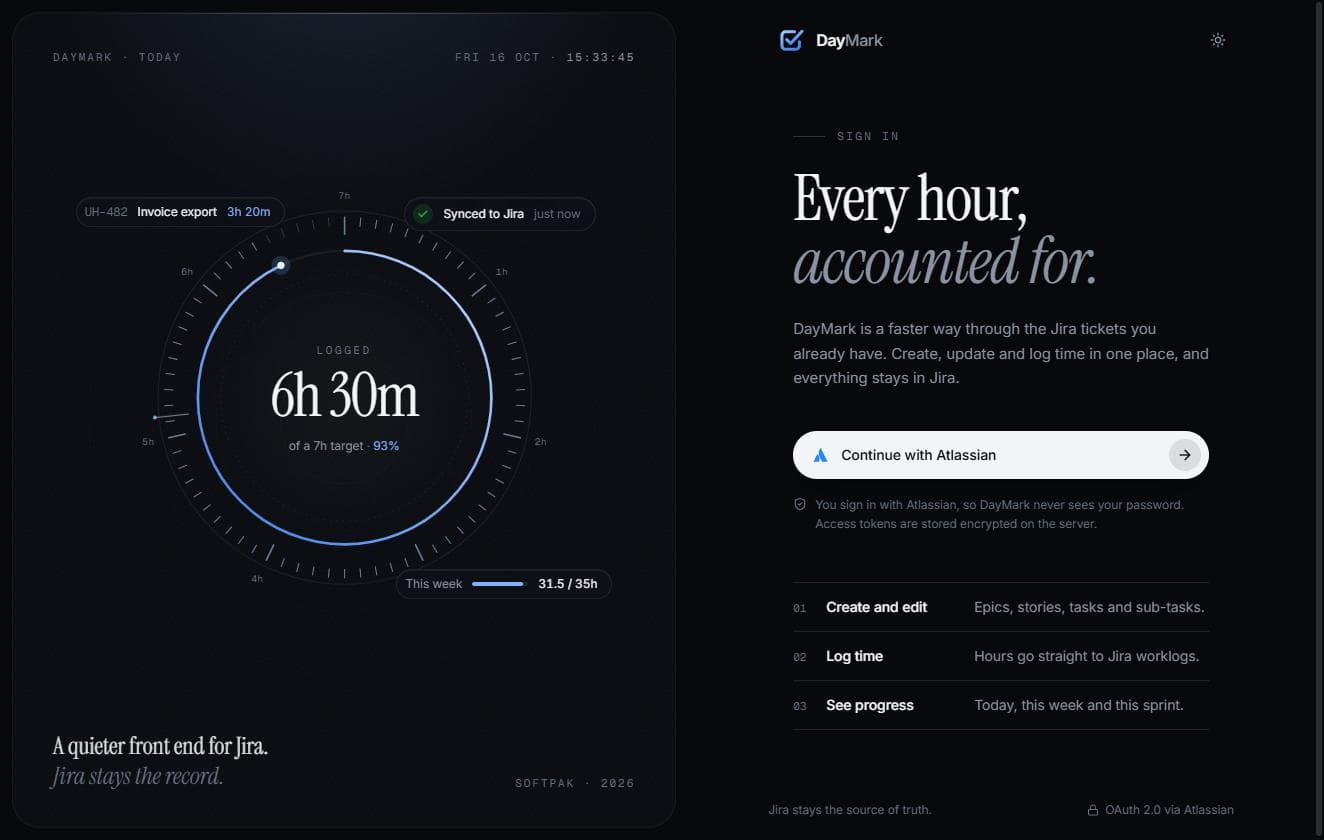
A faster, friendlier front end for Jira.
- BUILT FOR
- The Softpak engineering team, an internal tool
- STACK
- Next.js 16 (App Router) · React 19 · TypeScript · Tailwind CSS v4 · Prisma · MySQL 8 · Atlassian OAuth 2.0 · TanStack Query · Motion · Recharts · Three.js
- PLATFORM
- Web app, installable as a PWA on desktop and phone
THE PROBLEM
Our team runs everything through Jira. Management reads it, QA works out of it, and hours are logged against tickets as Jira worklogs. Jira is the right system of record, but it is a slow place to do the small jobs that fill a working day:
- What am I working on right now?
- Log two hours on this ticket.
- Move it to review.
- How many hours have I logged this week?
- Who on the team is free next month, and who is overbooked?
Each of those meant opening Jira, finding the ticket, opening the log-work dialog, filling in the form and saving. Hours went unlogged until Friday afternoon, and then got rebuilt from memory. Team leads had no quick way to see the week at a glance without building filters and exporting spreadsheets. We didn't want to replace Jira. We wanted the daily work to stop feeling like paperwork.
THE IDEA
Keep Jira as the source of truth, and put a fast, focused layer on top of it. Everything you see in DayMark is read from Jira as you, with your own permissions. Everything you change — a worklog, a status, a field edit — is written back to Jira through its API first. DayMark never becomes a second system that can drift out of sync, and nobody has to convince management to leave Jira.
On top of that, DayMark adds what Jira doesn't do well: one-click time logging, a personal dashboard, a weekly timesheet, team capacity planning, proper reports, and a light layer of progression — XP, levels, streaks — that rewards logging real work.
Corporate SaaS + modern product design + subtle gaming elements. It should feel like Linear or Notion, never like a video game pretending to be a work tool.
WHAT IT DOES
01
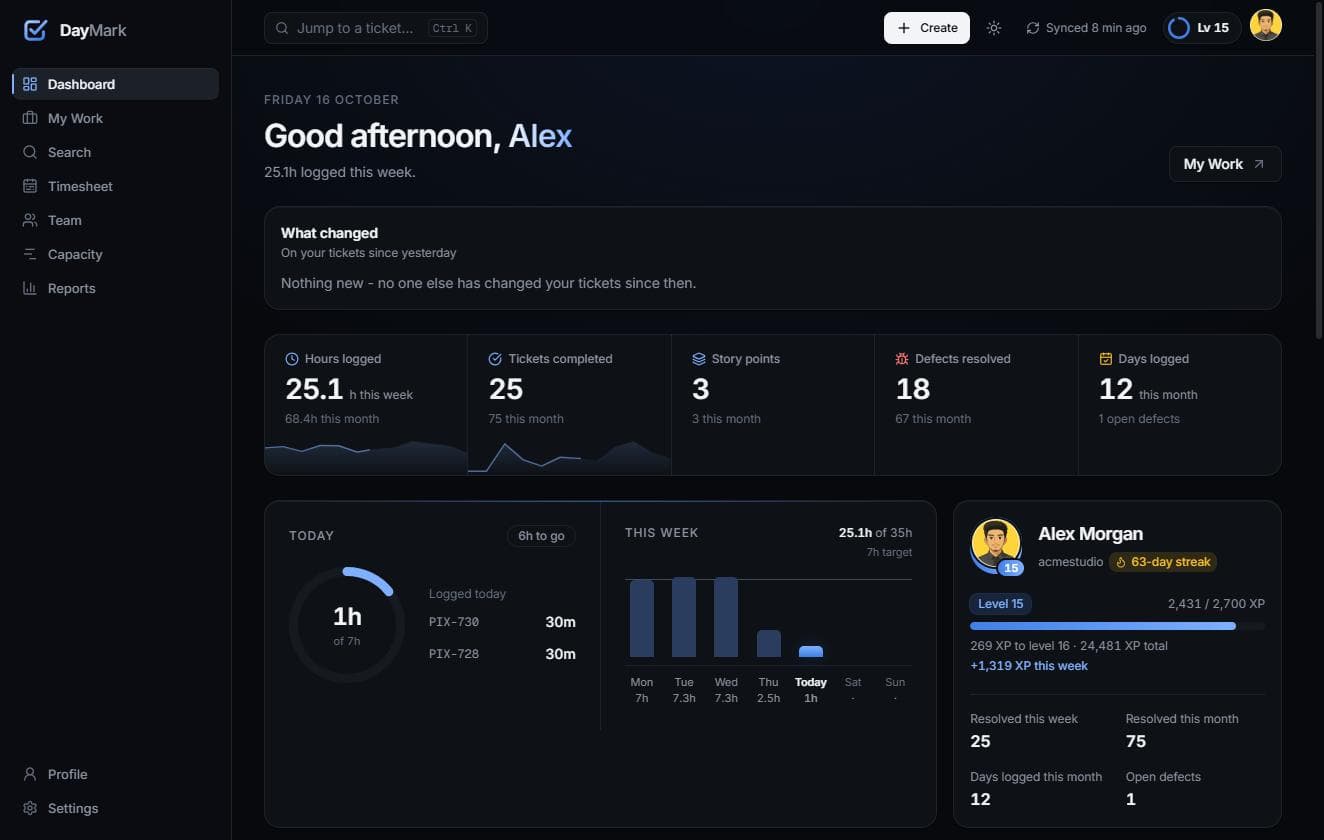
Dashboard: "How am I doing?"
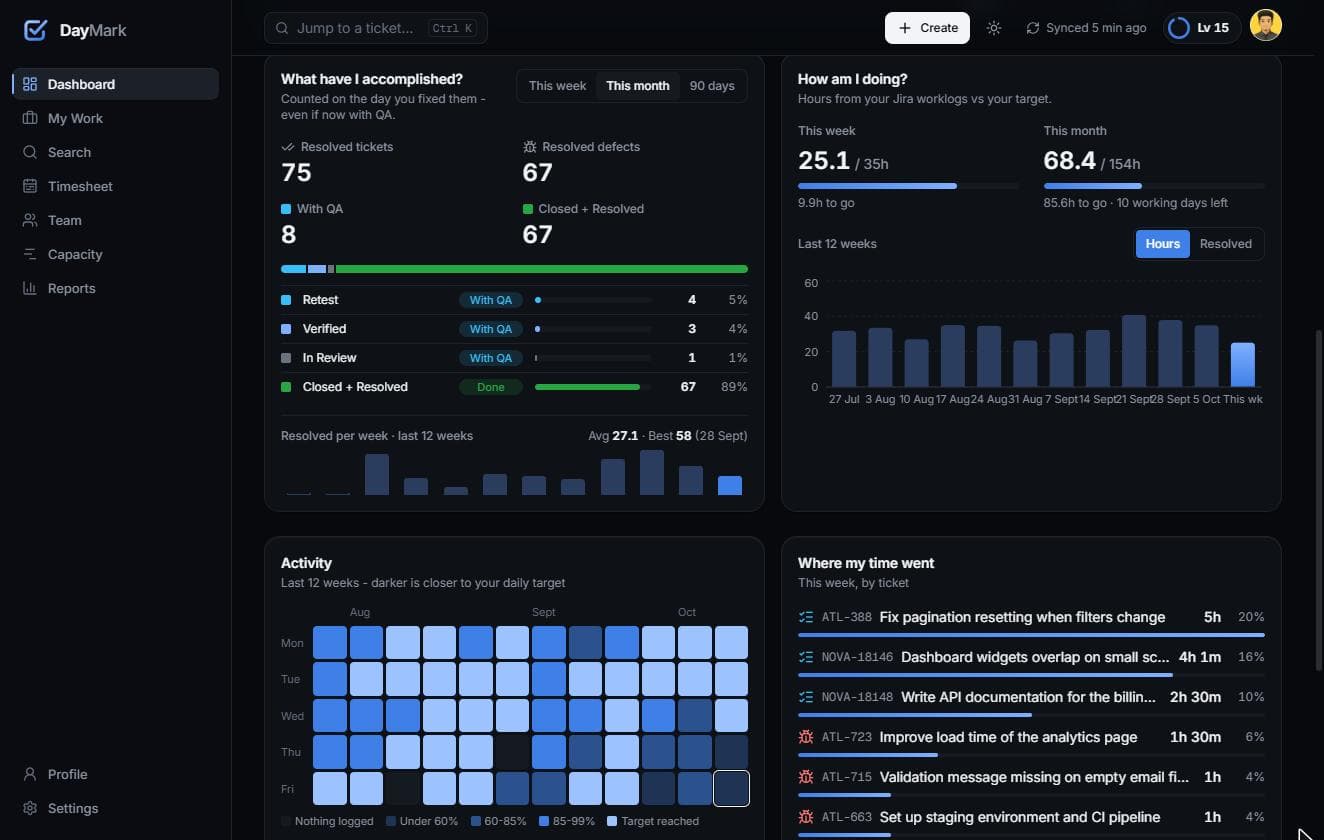
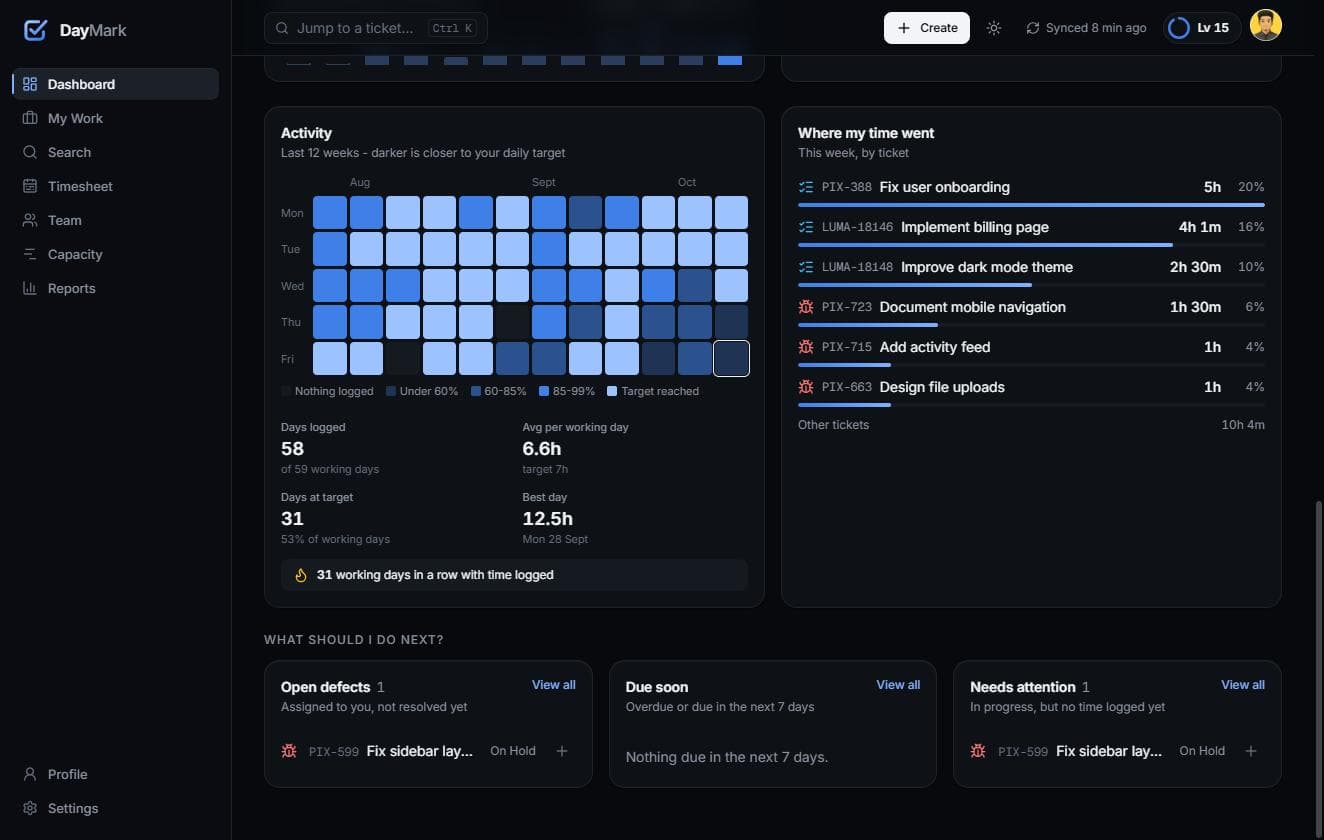
The first screen answers that question without any clicking. It shows today's hours against your daily target, the weekly trend, an activity calendar, time per ticket, and what changed on your tickets since you last looked.
02
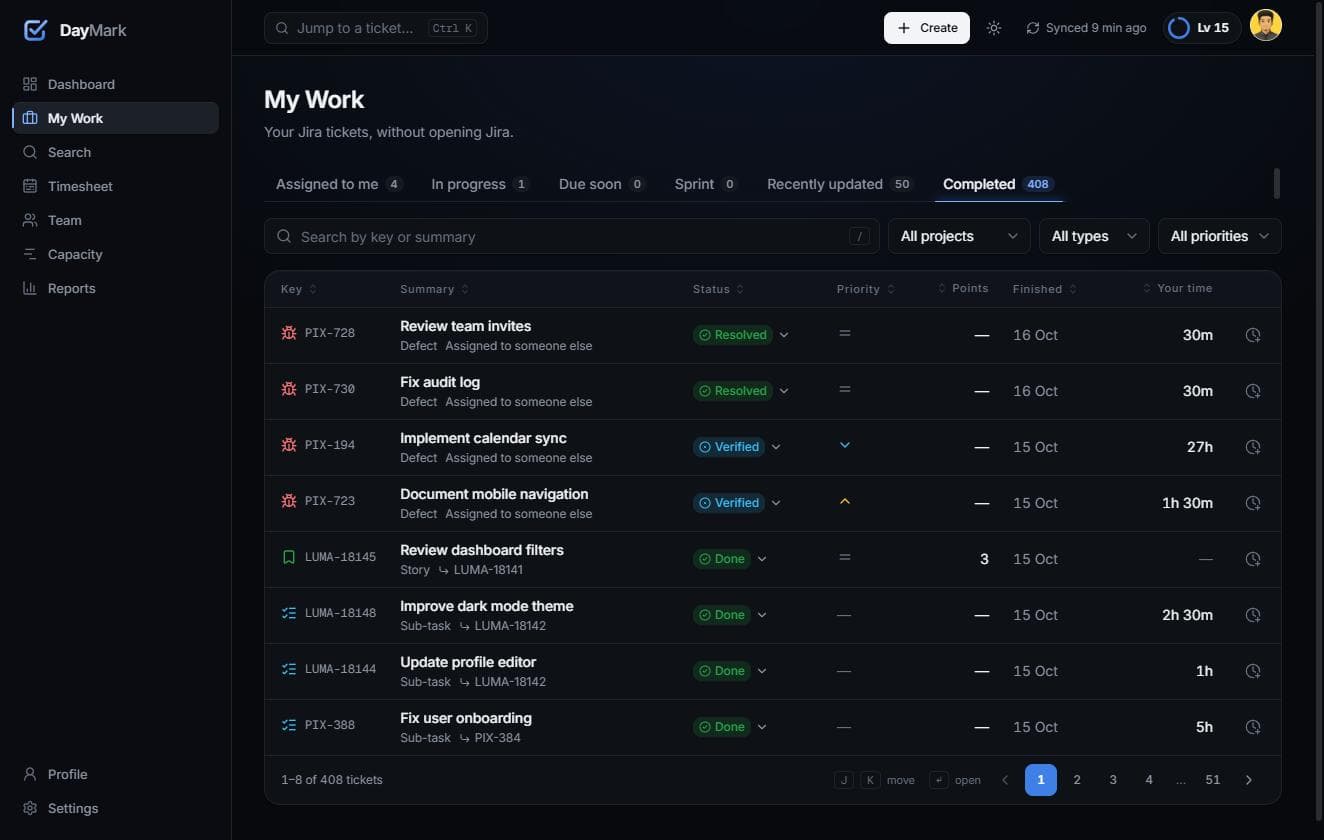
My Work and one-click logging
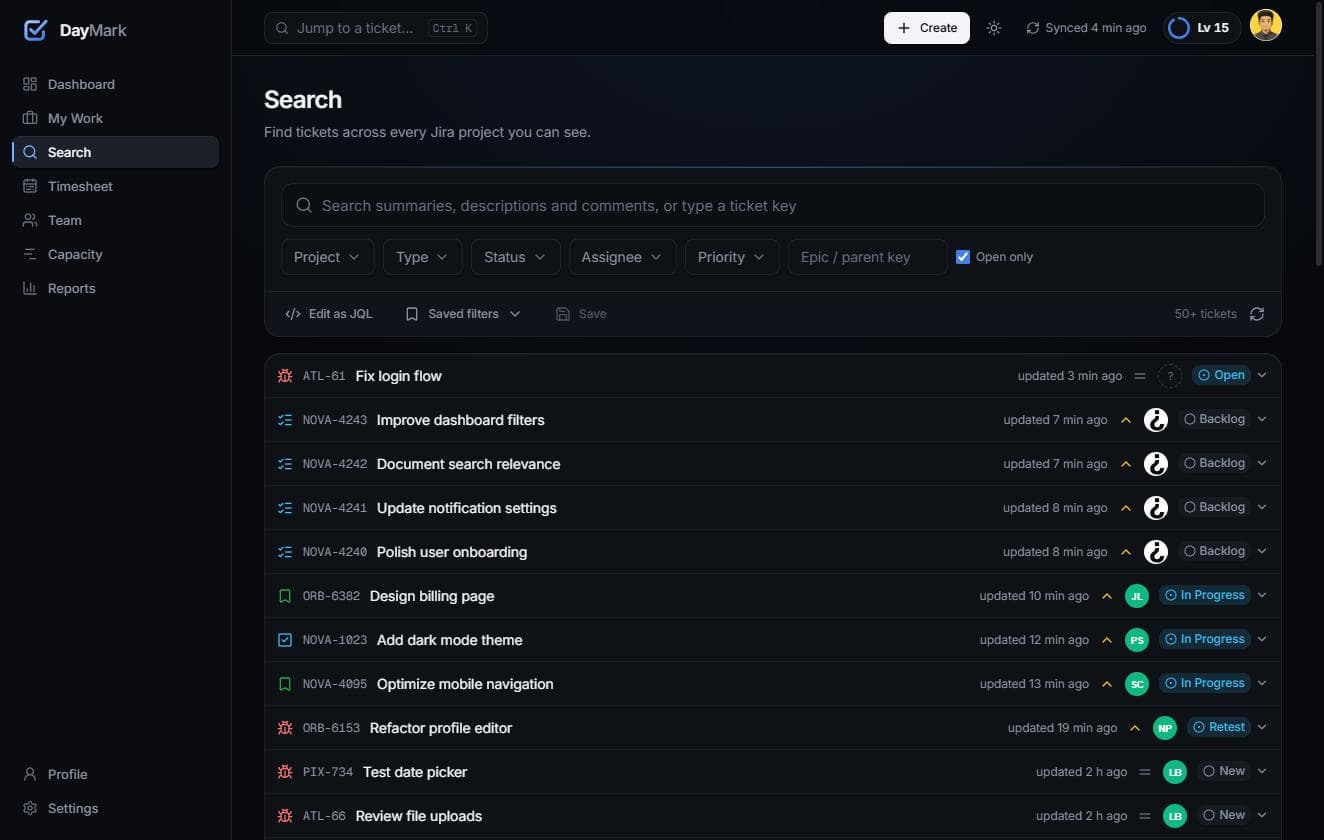
All of your tickets in tabs: assigned, in progress, due soon, sprint, recently updated and completed. Search, filters and J/K keyboard navigation are built in. You can change a ticket's status right from its row, and log time in one click. Quick Log works from anywhere in the app, suggests the tickets you worked on recently, and writes straight to Jira.
03
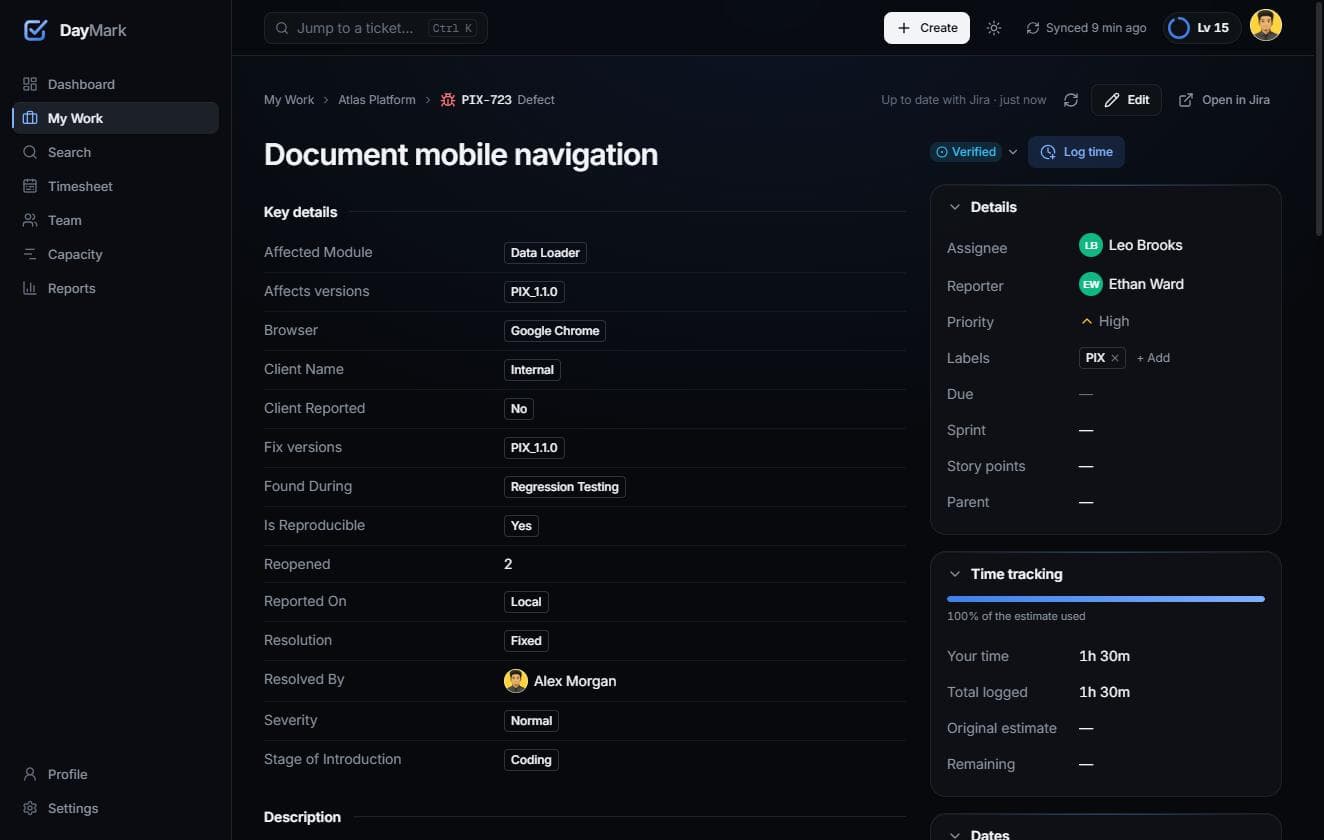
Ticket page
The full ticket: rich-text description, comments, attachments, child issues and worklogs. You can edit fields, and change status through Jira's own transition screens, so workflow rules and required fields still apply.
04
Timesheet
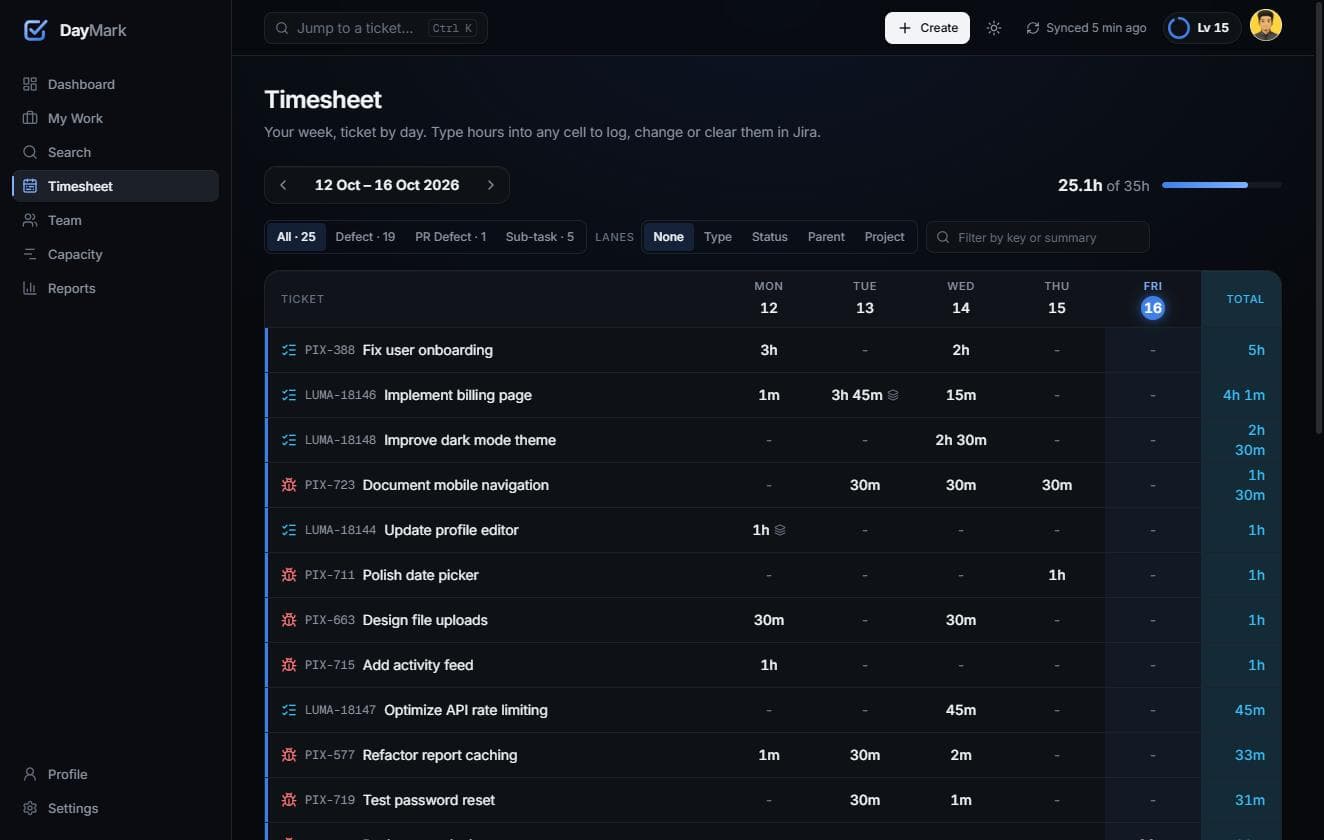
A week of hours by ticket and day, with leave taken into account. It's the view people used to rebuild by hand every Friday.
05
Capacity plan
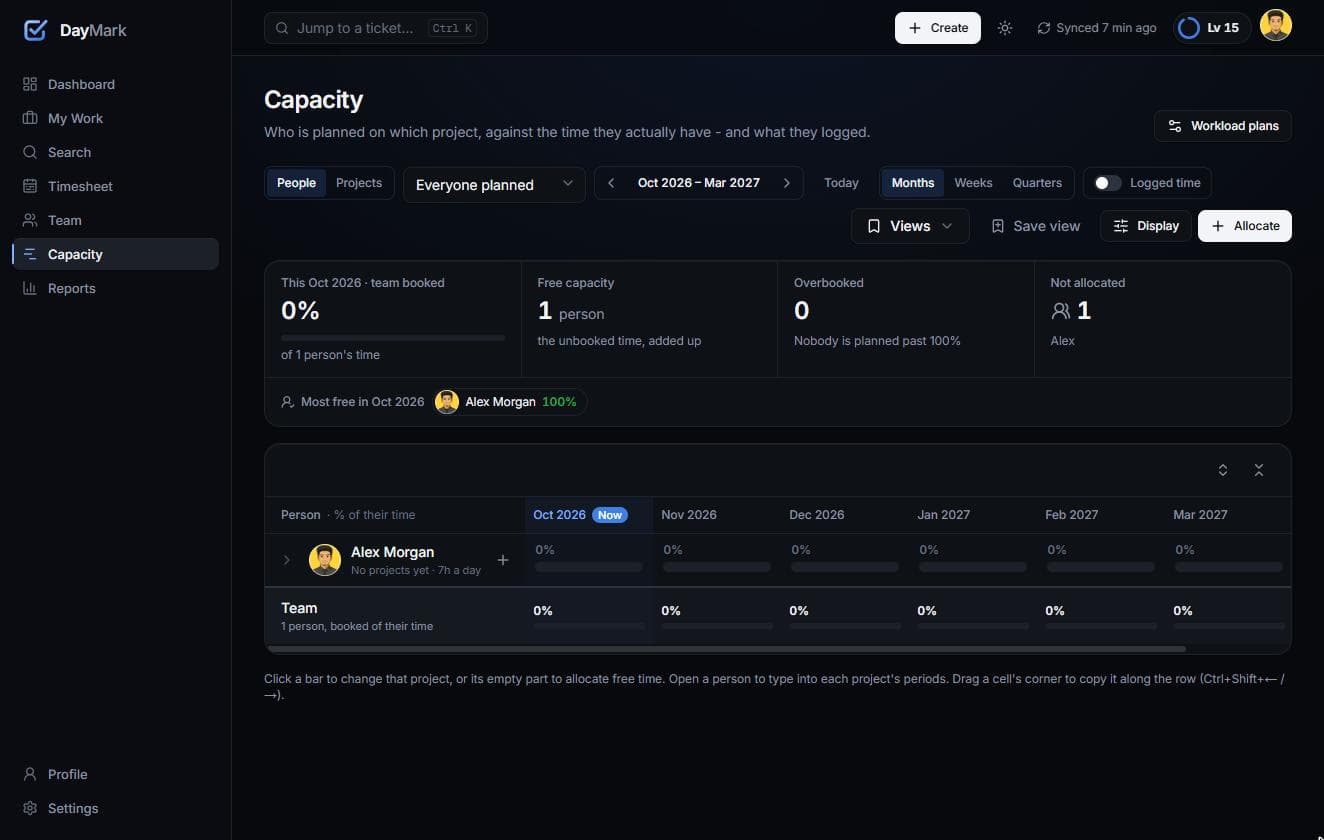
Plan each person's time as a percentage, by project. Each person shows a bar of their projects against 100% of their time. Free time is visible at a glance, and anyone past 100% turns red, with a line marking where 100% is. A summary on top shows how booked the team is, how much free capacity there is, and who is overbooked.
06
Team and reports
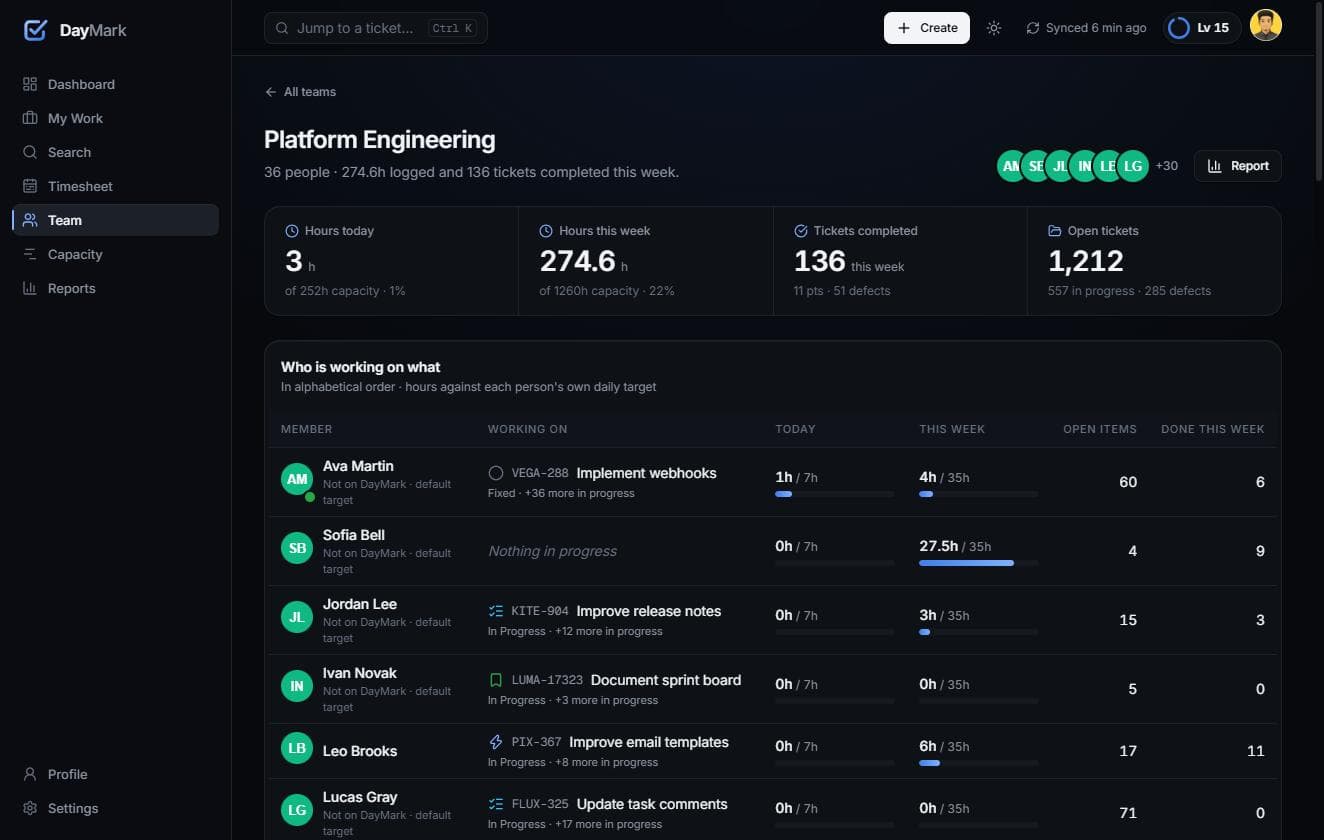
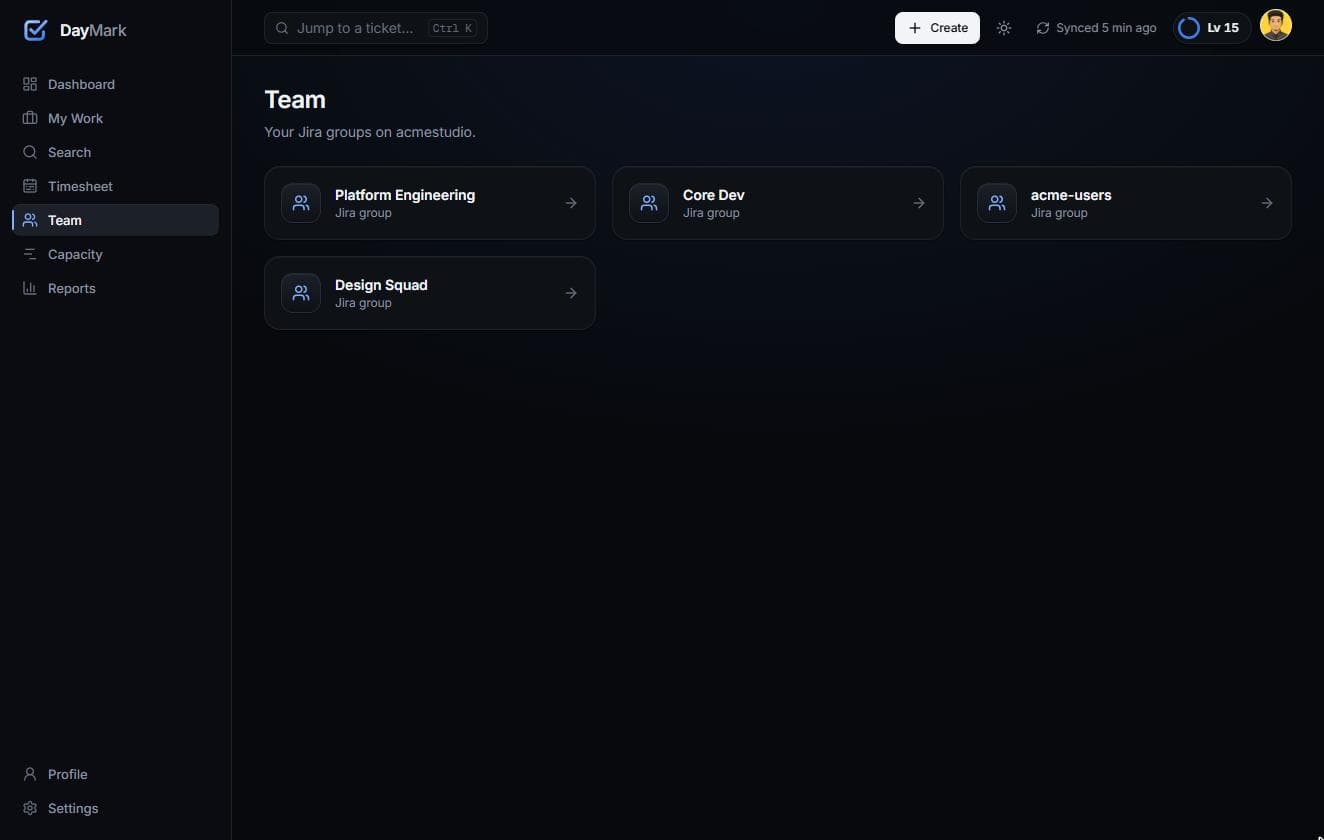
Teams are simply your Jira groups, so there is nothing to set up or keep in sync. Leads see hours against target, activity and tickets per member. Reports cover daily, weekly and monthly hours, hours by issue and tickets per person, with saved views and export to CSV and Excel.
07
Progression, done carefully
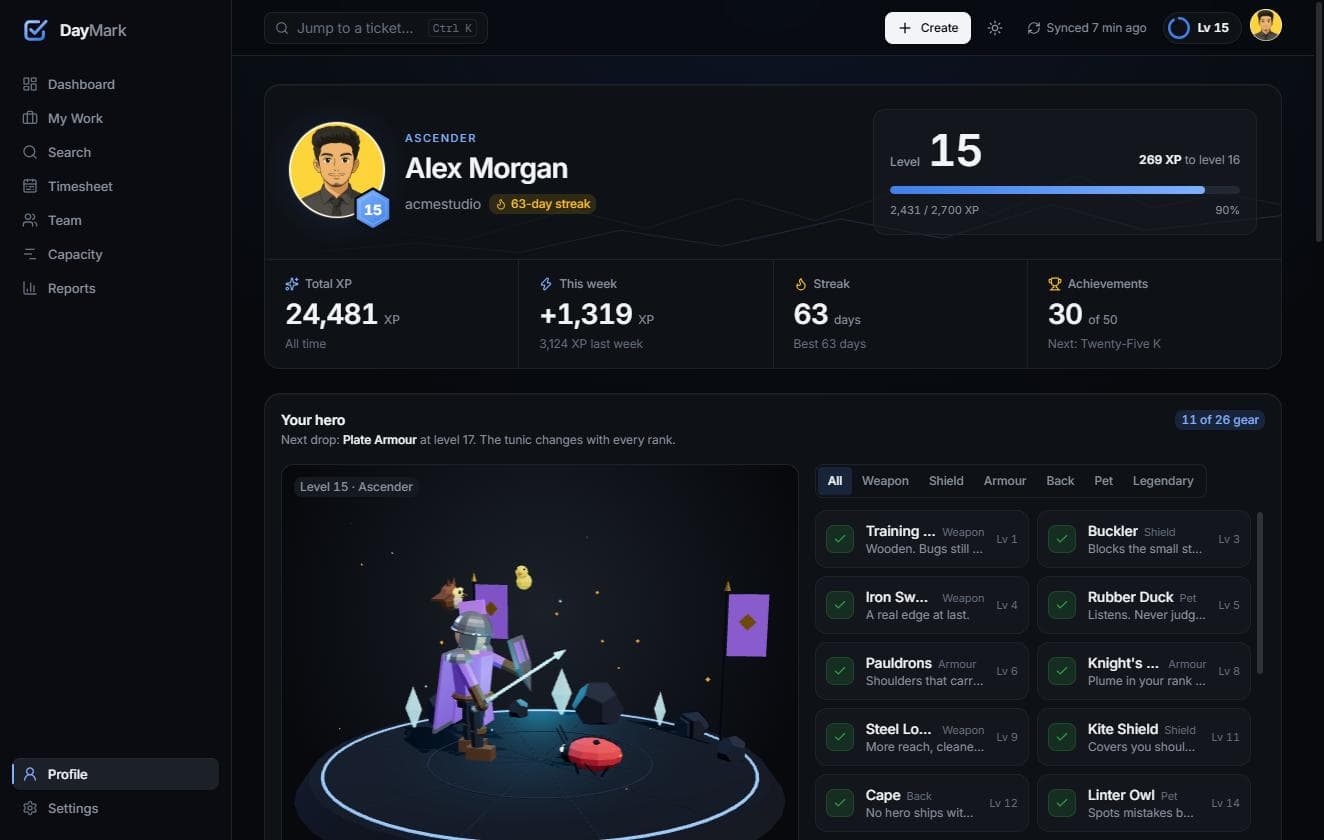
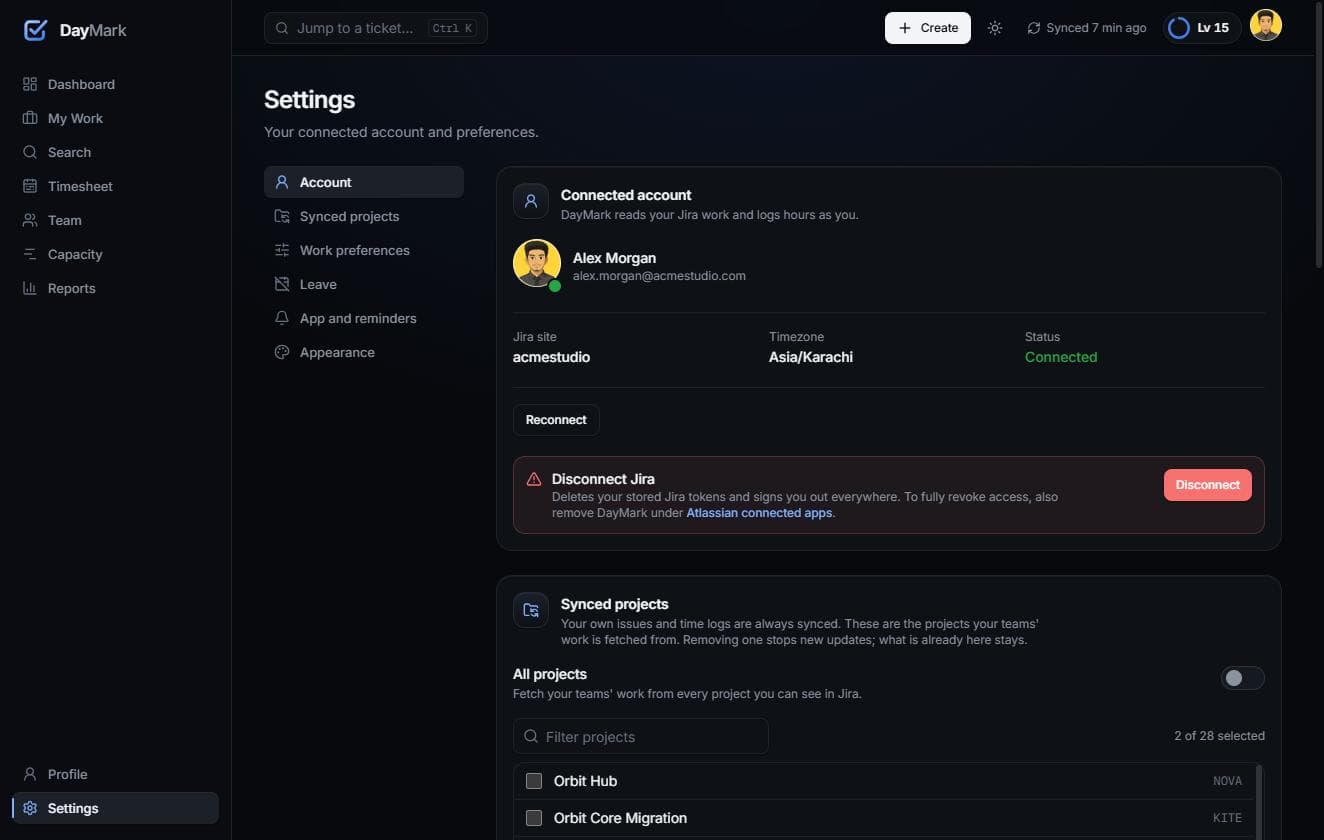
Logging hours, finishing tickets, hitting your daily target and closing a sprint's commitment all earn XP, levels and achievements. XP is never taken away — there are no failed states and no public leaderboards. Rewards come only from real Jira activity, each Jira event can only be rewarded once, and anyone can hide all of it in Settings.
HOW IT WORKS
Browser ──► Next.js App Router (server components + server actions)
               │
               ├── Data access layer (session check on every request)
               ├── Jira Cloud REST client ──► Atlassian (OAuth 2.0, per-user tokens)
               ├── Prisma ──► MySQL: users, encrypted tokens, cached issues and worklogs, XP, settings
               └── Background worker: incremental sync, reminders, cleanup, privacy reporting
Sign-in is the Jira connection
Users sign in with Atlassian OAuth 2.0 (3LO). DayMark never sees a password, and each person's Jira tokens are encrypted at rest with AES-256-GCM. The OAuth flow was built by hand instead of using an auth library, for full control over rotating refresh tokens, choosing between Jira sites, and encrypted storage.
Writes go to Jira first
A worklog, transition or edit is sent to Jira. The local copy is then updated from Jira's answer. The UI updates optimistically and rolls back if Jira refuses. A failed worklog create is never retried blindly, so an hour can't be logged twice.
A local cache keeps it fast
A background worker keeps a copy of each user's Jira data fresh with incremental sync: issues updated since the last sync, plus Jira's updated and deleted worklog feeds. Pages load from the cache instantly, then refresh from Jira. The worker runs on a MySQL-backed job queue (SELECT … FOR UPDATE SKIP LOCKED), so there's no Redis or extra infrastructure to run.
No roles of its own
Teams are Jira groups, and everyone in a group sees the same thing. There are no hidden manager views, and all permission checks live in one module.
Privacy built in
DayMark reports the accounts it stores to Atlassian's Personal Data Reporting API on Atlassian's schedule. When an account is closed, everything held for it is erased.
CHALLENGES AND WHAT I LEARNED
Every Jira site is different
Story points and sprints are custom fields with different IDs on every site. Workflows also differ per project — one project has 19 statuses. DayMark discovers fields per site, lets an admin override the mapping, and never hard-codes a workflow. Status changes always go through the transitions Jira offers for that ticket.
Time is harder than it looks
"Hours today" has to use the date a worklog started, in the user's own timezone, not the date it was created. That rule touches the dashboard, timesheet, reports, reminders and XP, so it lives in one place.
Gamification can backfire
Early ideas included "health" that dropped when you missed hours. We cut it. Anything that punishes people for a slow day makes a work tool worse, so every element of the progression layer is positive-only and optional.
Restraint is a design decision
The design system was built before any screens, with one motion system, colour tokens checked for contrast in both themes, and status that never relies on colour alone. That's why the playful parts feel like part of the product and not stickers on it.
RESULTS
First-time sync for a typical user: about 390 tickets and 520 worklogs imported in under 30 seconds.
Covered by 200+ unit and component tests, plus integration tests against a real MySQL database.
WATCH IT
AND ACROSS THE APP
STACK
NEXT PROJECT
Wealth Deck
05 / CONTACT


